Taxonomy Manager
Create data you can rely on with a governed naming process that sticks. Bright Analytics’ Taxonomy Manager ensures the correct naming of all your marketing activity, from campaign to tracking urls, meaning your data is clean, reliable and ready for reporting, deeper analysis and AI-powered use cases.
Consistent naming = confident analysis
Teams change, processes evolve and sometimes activity needs to go live quickly. Add to that the growth in channels, targeting, buying methods : with so many moving parts it’s easy to miss something. One small mistake is enough to push critical data into the wrong bucket and knock your reporting out of line.
Bright Analytics’ Taxonomy Manager gives you a robust, centralised approach to how your activity is named, with governed master data, unlimited naming conventions, validation to ensure all names make sense, and automated exception handling to catch anything that’s been created outside of your naming framework.
Key Features
-

Custom Master Data
Define the way data that drives your marketing. Create unlimited Levels and curate the values that describe your activity.
-
Unlimited Naming Conventions
Create unlimited naming conventions from your master data. Select the relevant master data for every convention you need to create.
-
Value Approval processes
Curate your data : locked down values where critical, allow proposal of new values for approval where appropriate, and allow free text when it’s the right option.


Features

Customisable Master Data
Define the data that drives your marketing analytics.
Unlimited Naming Conventions
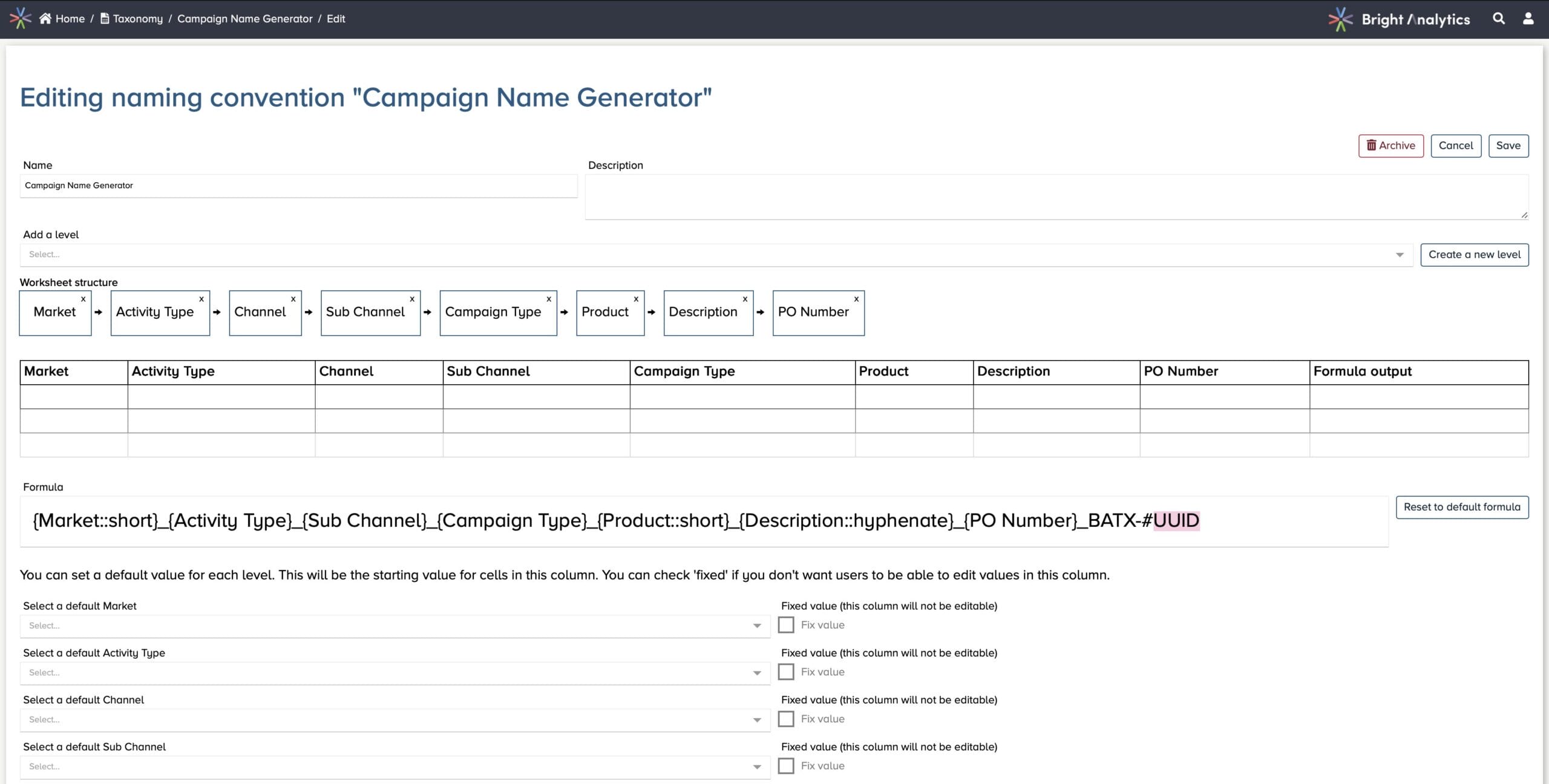
Create naming templates for as many entities as you need : campaign to creative, web analytics trackers to PO numbers.
Custom Naming Convention Formula
Add macros, transformations and special functions to define precisely the shape and content of your names.
Flexible Validation
Link values together across different levels to enforce accuracy of your names and avoid human error.
Unlimited Worksheets
Create as many worksheets as you need for every naming convention or organise your work in the way that suits.
User Roles & Permissions
Define roles for creating names and new values alongside roles for name creation in worksheets.
Coded Values
Maintain short codes for values to keep names neat and tidy : unpack to the full value in reports.
Advanced Capabilities
-
Exception Reporing
Automatically catch activity that has not been created within your taxonomy framework. Flag it for investigation and fixing.
-
Sensitive Fields
Attach business-sensitive fields such as PO number or custom audience to your activity, but keep these fields out of your ad platforms.
-
Approval Processes
Define ways to control the creation and use of new values within your names to ensure only valid, approved names are created.


Unlock your data’s potential
If you’re looking for a new approach to delivering analytics solutions for your organisation we’d love to hear from you.